

What you’ll find on a model page
Every model on AI Stats contains the following key sections:| Section | Description |
|---|---|
| Overview | Includes provider, release date, model type (chat, code, embedding, image, etc.), and short description. |
| Family | Easily see related models and their relationships. |
| Timeline | Visualizes release history and major updates over time. |
| Benchmarks | Shows performance results across benchmarks, easily compare to nearest models. |
| Availability | Lists the providers that currently host this model and which endpoints it supports as well as subscription plan accessibility. |
| Pricing | Displays detailed pricing in USD, normalized for easy comparison to make it easy to see what the model costs. |
| Gateway | Direct links and quickstarts to try the model via the AI Stats Gateway (if available). |
| Performance | Real world usage statistics such as latency, uptime, and error rates from the AI Stats Gateway. |
Example model page
Here’s an example of what a model’s data might look like within AI Stats: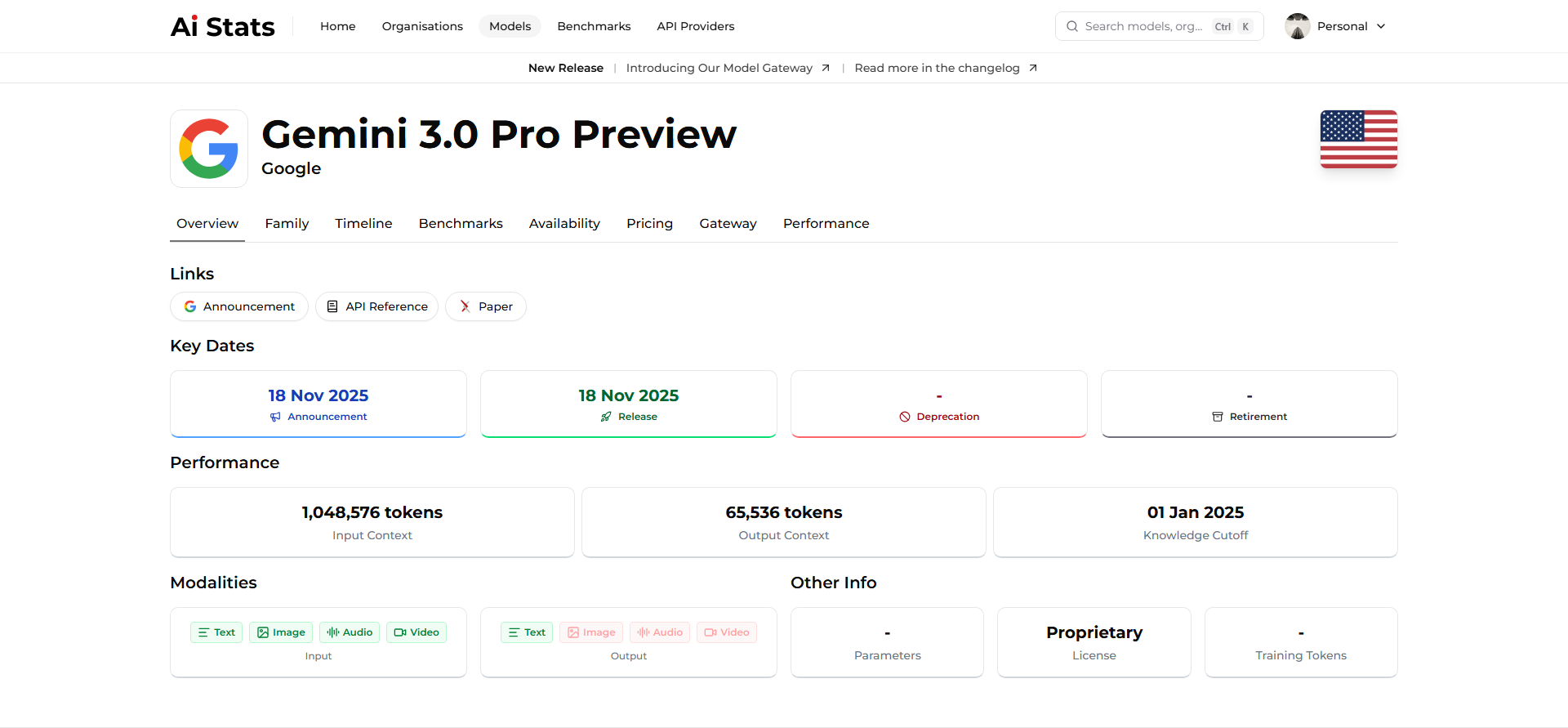
Comparing models
You can compare models side-by-side on metrics such as performance, pricing, and features.AI Stats automatically highlights differences and ranks models based on various benchmark averages.
Compare Models
Analyze cost vs performance trade-offs to choose the right model for
your workload.
View Benchmarks
Understand how benchmark scores are gathered and standardized.
Finding models by criteria
Use filters and tags across the AI Stats interface to locate models that fit your needs:- By provider: “Show all Anthropic models.”
- By capability: “List models supporting JSON structured responses.”
- By benchmark: “Top-10 models on GPQA.”
- By pricing: “Models costing under $0.01 per 1K tokens.”
- By release date: “Recently released models.”
Contributing model updates
Because AI evolves rapidly, AI Stats relies on contributors to keep model data accurate.You can submit corrections, add missing benchmarks, or suggest new metadata directly through GitHub.
Contribute Model Data
Learn how to edit or update model information safely.
Next steps
Now that you understand how models are structured, you can move on to learn about the organizations that build them.Explore Organizations
Discover the companies and research groups behind each model.